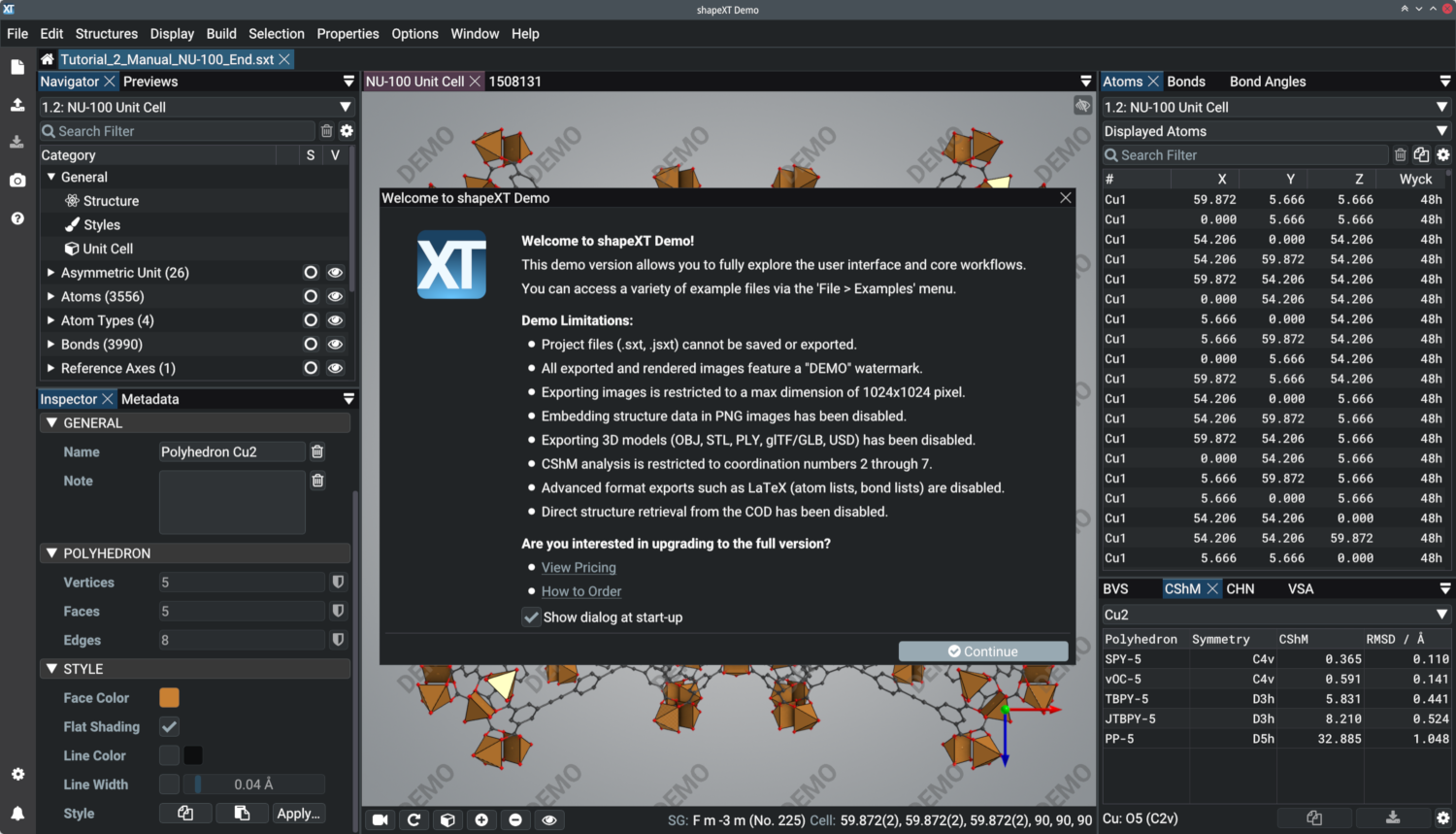
The shapeXT demo is available to evaluate the application prior to purchase. It allows you to fully explore the user interface and core workflows without any restrictions on the size of chemical structures.
Demo Capabilities
- Unrestricted structure size: Load and visualize large extended frameworks or complex proteins.
- Interactive analysis: Calculate properties and generate polyhedra in real time.
- Full format support: Import standard formats including CIF, RES, DIAMDOC, POSCAR, XYZ, and Gaussian Cube files.
Demo Limitations
To allow for evaluation while protecting the full version, the demo includes the following restrictions:
- Project files (
.sxt,.jsxt) cannot be saved or exported. - Exported images feature a “DEMO” watermark and are restricted to a maximum dimension of 1024 × 1024 pixels.
- Embedding structure data into PNG images (Smart PNG) is disabled.
- Continuous Shape Measures (CShM) analysis is restricted to coordination numbers 2 through 7.
- 3D model exports (OBJ/STL/PLY/glTF/GLB/USD), LaTeX geometry tables, and COD database retrieval are disabled.
Downloads (v2026.10.2)
Choose the appropriate package for your operating system. Ensure your system’s graphics drivers are up to date and support Vulkan 1.3.
shapeXT Demo Manual:
Windows 10/11 (64-bit):
- Standard Installer (.exe) (Recommended)
- Portable Archive (.zip) (Runs without administrator privileges)
macOS (Apple Silicon):
- Disk Image (.dmg) (Note: shapeXT for macOS requires an Apple M1 processor or newer; Intel Macs are not supported.)
GNU/Linux (64-bit):
- Universal Linux AppImage
- Debian 13 Portable Archive (.tar.bz2)
- Ubuntu 24.04 LTS Portable Archive (.tar.bz2)
Minimum System Requirements
| Component | Minimum Specification |
|---|---|
| Operating System | Windows 10/11 (64-bit), macOS 15 or newer, Debian 13, or Ubuntu 24.04 LTS |
| Processor (CPU) | AMD Ryzen 3 series, Intel Core i3 series (4th gen), or Apple M1 |
| Instruction Set | AMD/Intel CPUs must support the AVX2 instruction set |
| Graphics (GPU) | Dedicated or integrated graphics card with Vulkan 1.3 support |
| Memory (RAM) | 8 GiB RAM |
| Storage | 150 MiB available disk space |
Getting Started
After downloading and extracting shapeXT, check the tutorials in the manual to learn the basic controls. Example files are also built directly into the application and can be accessed via the File > Examples menu. In addition, visit the Showcase section or the Tutorials section to learn more.
Ready to Upgrade?
When you are ready to remove the demo limitations, visit the Pricing and How to Order pages to purchase a license. Every license purchase includes a perpetual fallback license.
Take advantage of a 30% Early Bird discount, valid until December 31, 2026.